Showing posts with label organization. Show all posts

The Freelance Writing Trenches: Get Organized

Monday, January 30, 2012
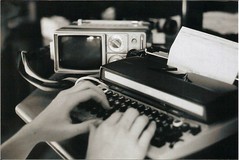
typewriter Freelance writing isn't exactly rocket science. Honest.

No matter how daunting the query system may appear, freelance writing is simply a perpetual game of cat and mouse between you and various publications.

Boiled down, the freelance system looks like this:
1) You pitch a job.
2) You get the job. (Or you don't, in which case, return to step 1)
3) You complete and submit the job.
4) Job is accepted and publication is scheduled
5) Upon publication, you get paid.
6) Rinse and repeat.

The only teensy, weensy issue with the above system is that you're hopefully going to have multiple jobs at various stages in the above system all the time. Suddenly things aren't so linear.

That's where a freelancer organization system comes in.

Using the freelancer organization system, let's revisit the freelancing system.

1) You pitch a job. (Record in your pitch log.)
2) You get the job. (Record in your pitch log.)
3) You complete and submit the job. (Record in your submission log)
4) Job is accepted and publication is scheduled. (Create and submit invoice)
5) Upon publication, you get paid. (Record payment in submission log or using your accounting software.)

I use basic Excel spreadsheets for my pitch and submission logs*. Because I'm a nice person, here are downloadable templates of the spreadsheets I use to organize my freelance writing jobs:

Pitch Log 
Submission Log

I find these have all the columns I need but you can tweak the templates however you like. I'm not a stickler for filling in every column either - for example, if it seems irrelevant to fill in the publication's physical address, I just leave it blank.

I use the pitch log quite faithfully because it keeps me accountable and also prevents me for duplicating queries, which would be mighty embarrassing. You'll notice at the very far right column, I have a spot where you record alternative publications where you might pitch the same idea. It's always good to have a contingency plan in case your first choice market doesn't bite. If it's an idea you're sold on, pitch it until you have a nibble!

If I'm being honest, in the excitement of actually getting a job, I often fail to record the job in the submission log. Instead, the submission log is normally where I record any submissions to literary magazines. If I was going to be super organized, I would create a second sheet in the submission log devoted for pieces that are either submitted "on spec" or are submissions to literary magazines.(What's "on spec?" Click here!) That way one page would be devoted to awarded jobs and another page would be devoted to submissions of fully written pieces to publications for consideration (just a pitch with a finished product, really.) Use the submission log however you like.

When I'm ready to invoice, I use QuickBooks because I have all of my finances running through the program. However, you can create your own invoice system easily using an invoice template and your submission log. Be sure to save each unique invoice somewhere on your computer. Record both the date you submitted the invoice and the date you expect to be paid by in the submission log. Upon payment receipt, record the date in the submission log and somehow mark the invoice as paid. If payment hasn't appeared by the follow-up date, it's time to send another invoice. 


*Spreadsheets are both adapted from examples from full-time freelancer Devon Ellington.
Read more ...

Best Intentions Part II . . .

Friday, July 30, 2010
No, no more disgusting pictures of my smoked back. Not to worry, the sunburn will soon be a distant memory when it fades away in about six months. . . .

No, today we discuss what happens when you decide to tap each day for its full potential. Or what doesn’t happen . . . .

Back in the dead of winter last year, when the days were short and dark, the money was scarce, and we lived in 12x20 Shack, I started to say yes to a lot of projects, jobs, assignments, etc. that sounded exciting and fun and just generally a really good idea. Sure I’d have time for it all, I thought. I’d just have to be willing to go full out every single day this summer. (Thank goodness I have no children!)

But lately I haven’t been going full out every day. Instead, it’s felt like I’m running into a wall. I plan to get up early but only succeed in rolling out of bed just as Andy’s hitting the road to work. By then, after the physical therapy exercises are done, breakfast is fixed and lunch is packed, there’s very little time left in my morning before it’s time to start thinking about heading to work. All day at work, I tell myself at night I’ll get the freelance work done. Yet when I get home, it’s generally sounded like more fun to bake a pie or hunker down with a cup of tea and the novel (Haunted Ground by Erin Hart) I’m reading.

Then on Wednesday afternoon, while Andy was off at fire training, I discovered the shelves in our bedroom -- meant to organize all my important papers – looking like this:

Not a single pay stub, bank statement, or anything else had been filed since after I’d gotten home from New York City . . . in April. I filed all the miscellaneous papers draped across the shelves and the printer (which is out of ink). It took all of fifteen minutes. So I decided I’d had enough with not doing what I should be doing just because other things sound like more fun. (The novel I’m reading really is intriguing.)

Last night I stayed up after Andy crashed into bed and wrote a “to-do” list that’s actually broken into bite-sized chunks. I made up an editorial calendar for this blog. (Yes, I’m attempting to semi-focus the “Of Woods and Words” content so the blog can be described, vaguely, as something other than my rambling thoughts.) There are plenty of walls out there for me to run into, but I’m through with this one. No more letting my best intentions get the best of me.
Read more ...

What Do You Do With Digital Photos?

Tuesday, July 27, 2010
When I’m looking for a good rant – and let’s be honest, when am I not? – the topic of digital photography has always lent itself to some good, heated commentary. After all, when picture taking truly became as simple as pointing and shooting, a new era of omnipresent photography was ushered in. And just like that, we had a lot more “photographers.” Many of these recently emerged digital photographers snap beautiful inspired pictures. Others are more like me, trying to capture the daily beauty and wonder we see around us every day, but not doing so with any great technical knowledge of how to go about taking the pictures.

My verdict’s still out on how I feel about the ubiquitous nature of digital photography. It’s lead to the world to be filled with a lot more photographs, most of which won’t be finding a spot on a museum wall anytime soon. Our lives are better documented than ever before. And even if our photographs aren’t destined for greatness, it still means something to us to have pictures of:
Ginormous blueberries.
Or Andy with said ginormous blueberries
Or pretty sunsets on the lake.

In March, when I got my new camera, I thought it was really great that pictures automatically sorted themselves into dated folders when I downloaded them onto my laptop. But since receiving the new, easy to use camera I’ve taken to taking pictures almost every day. The whole dated folder thing isn’t so much fun four months and some sixty pictures folders in “My Pictures” later. Often I have trouble locating a specific picture because I can’t remember the exact date I took it.

So how do we get the proverbial ducks in a row?
What do you do to keep your digital photographs organized and easy to find on your computer?
Read more ...
Related Posts with Thumbnails